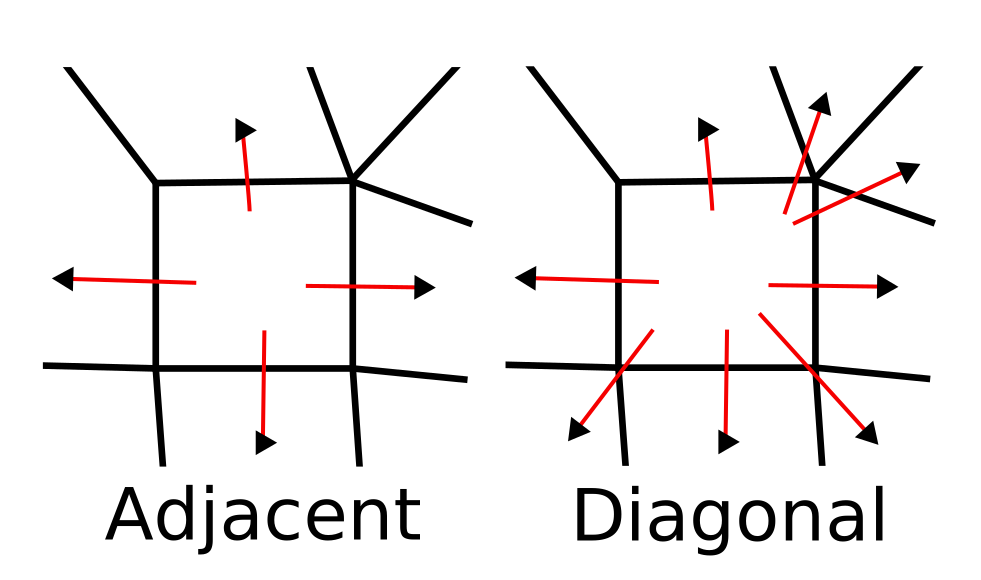
Diagonal Grids
By default, all Sylves grids only consider edge-to-edge adjacencies. That is, methods like Move, GetNeighbours etc will only return cells that share an edge with the input cell.
This is usually all that is needed, as you can find any diagonal via two steps in the grid. But sometimes it's convenient to have a grid that directly represents connections between diagonal cells, for example when pathfinding.
You can use IGrid.GetDiagonalGrid to convert any 2d grid to a diagonal grid. Diagonal grids have the same cells, but each cell has a different cell type which has more CellDir values associated with it. The dirs will still be enumerated in clockwise order, and usually start with a right pointing direction, like normal grids.